Tiime
Last updated: May 26, 2026
CONNECTION
Step 1: Choose a name for your connexion.

Step 2: Click "Authorise" to finalise the connexion.

AUTHENTIFICATION
You will be redirected to a Tiime sign in page to authenticate your account.

CONFIGURATION
On this last step, you must choose the accounting record.

Click on "Validate" to complete the connection to Tiime.

TROUBLESHOOTING
I can’t see the imported invoices and journal entries in Tiime
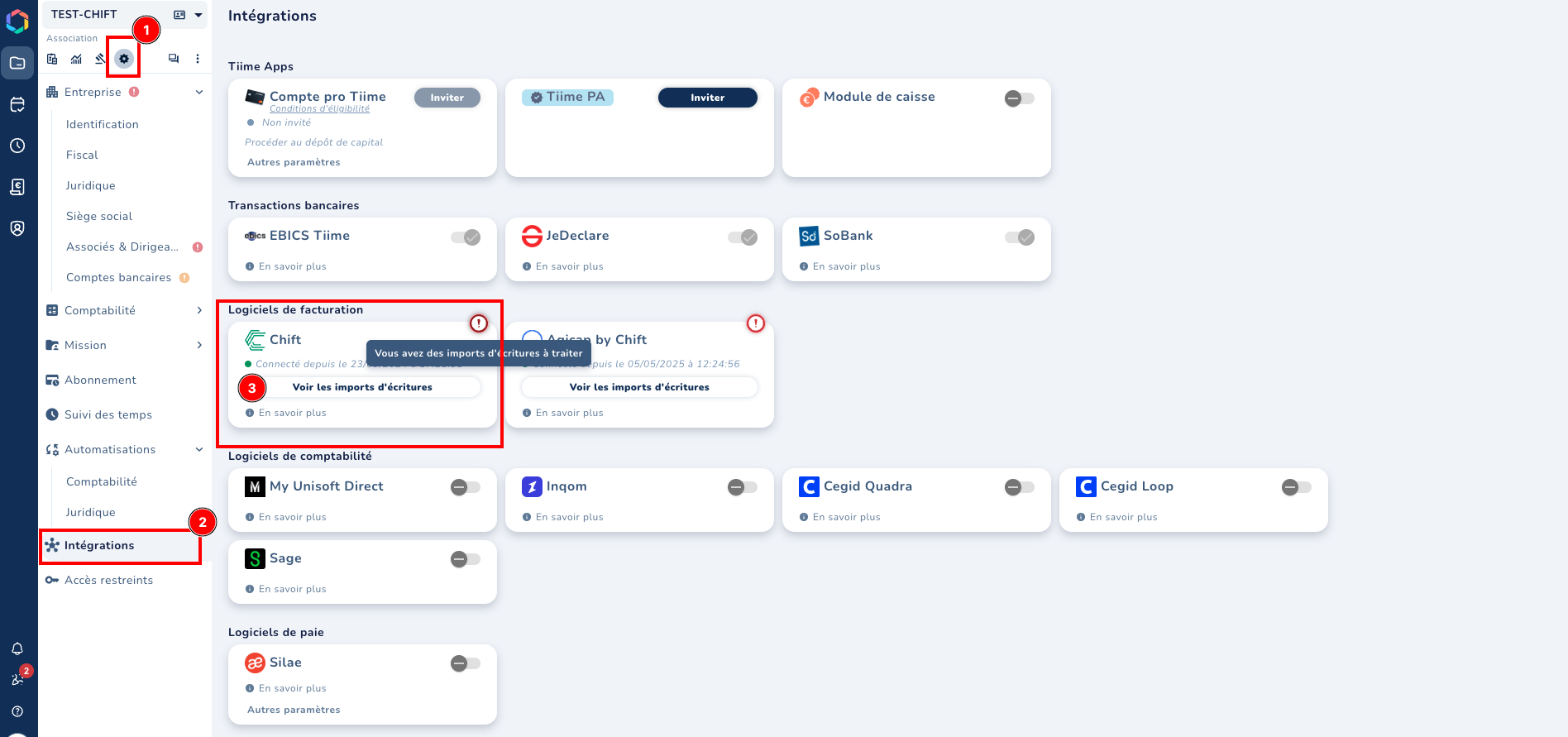
You can find your imports in the “Settings --> Integration” section, on the Chift tile.
An exclamation mark on the tile means that data is awaiting your approval.