Cegid Loop
Last updated: July 16, 2026
PREPARATION
1. Generate an API key from your Cegid Loop account.
Here is how: https://app.arcade.software/share/VWS4eqYN11QzPXSuRdRo
2. Connect your API Key and software on Loop Hub and select your accounting folder.
Here is how: https://app.arcade.software/share/xDBcC6VmzS1Ls7wbOeuk
If you don't find your software vendor in the list, use the default "Cegid Loop APIs Standard" option.
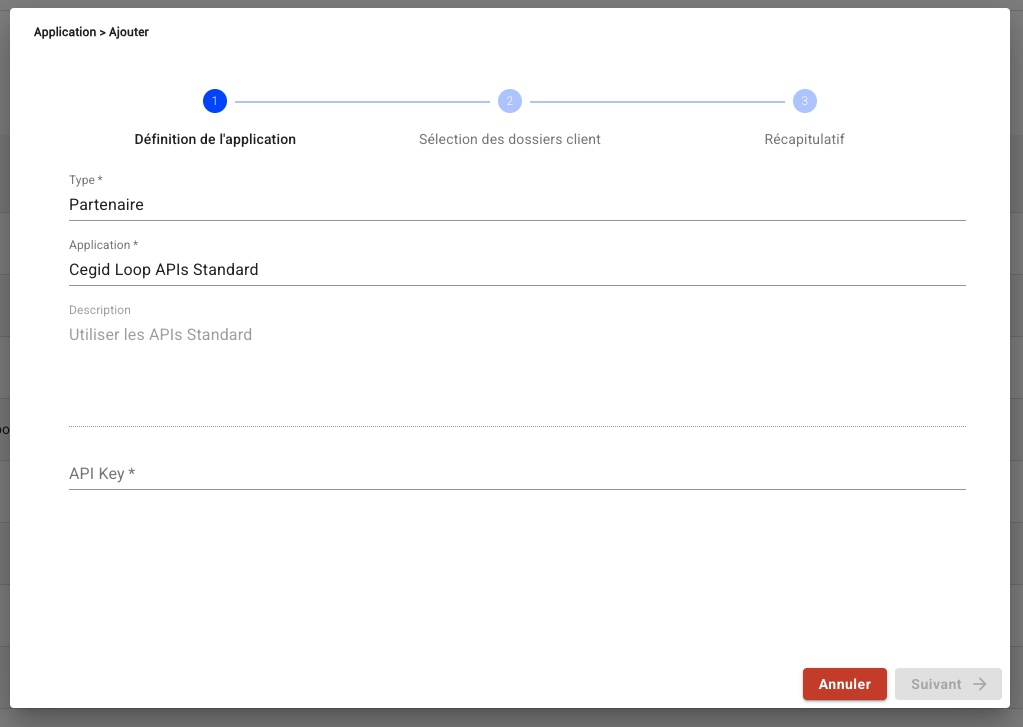
CONNECTION
Step 1: Choose a name for your connexion.

Step 2: Define whether to activate the accounting analytics.

Step 3: Enter the API Key, which you previously generated from your account.

Step 4: Enter the secret key, which you previously generated from your account.

Step 5: Click "Connect" to finalise the connexion.
CONFIGURATION
Step 1: Select the accounting folder to connect.

Step 2: Click "Submit" to finalise the configuration.