Yuki
Last updated: April 16, 2026
PREPARATION
Log into your Yuki account.
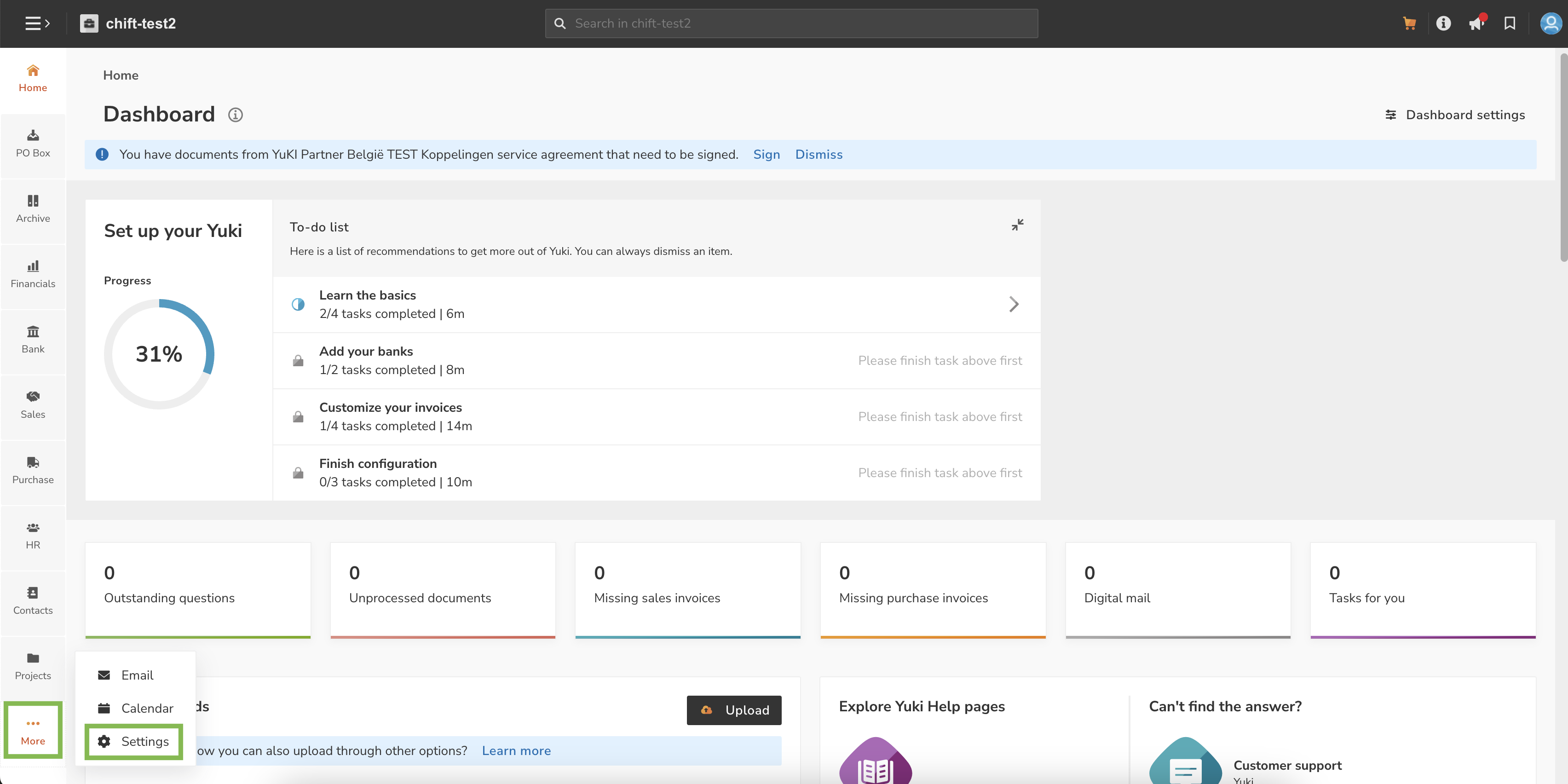
On the bottom left corner ("More" button), click on "Settings".
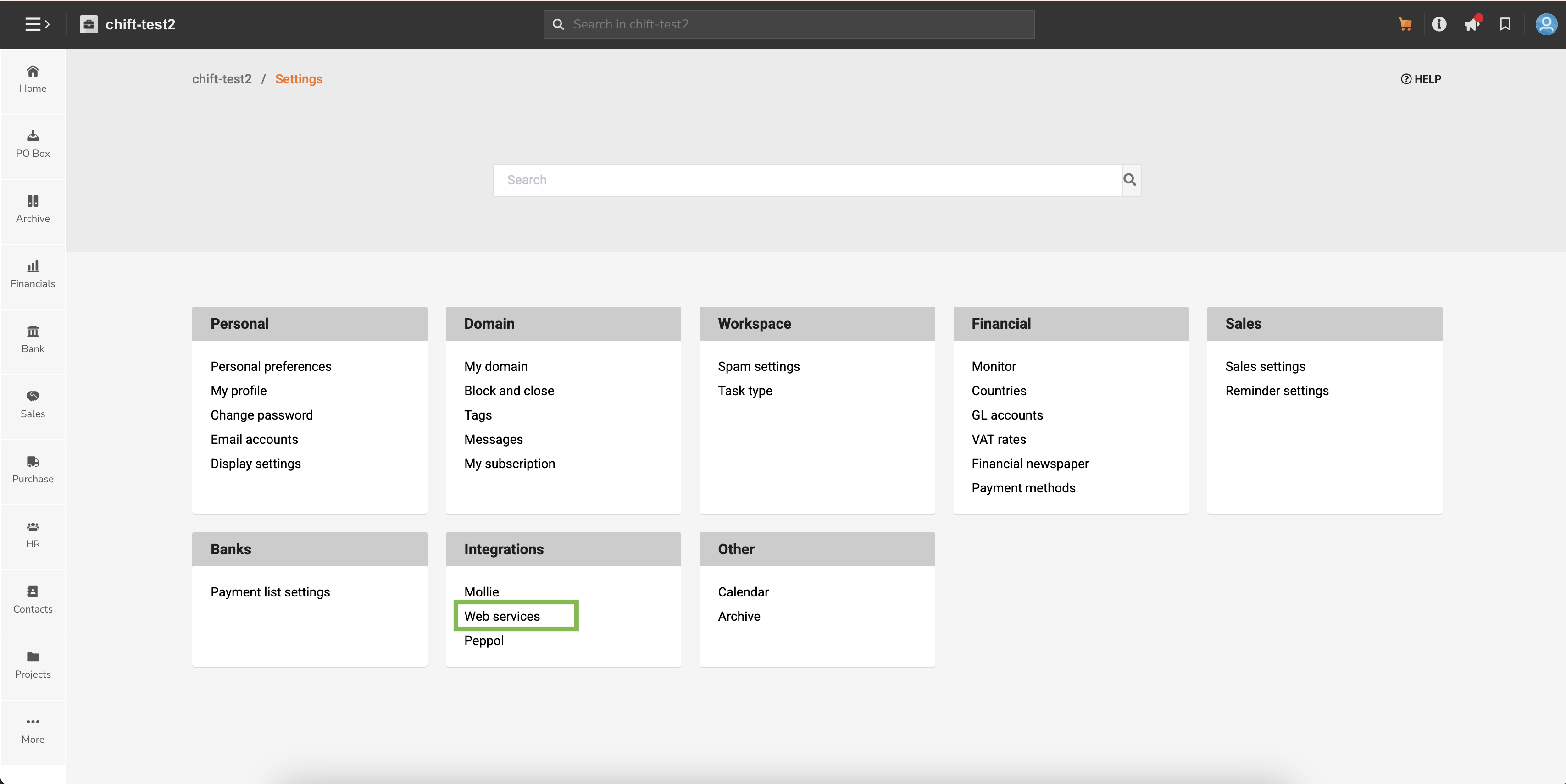
Then click on "Webservices" in the "Integrations" section.
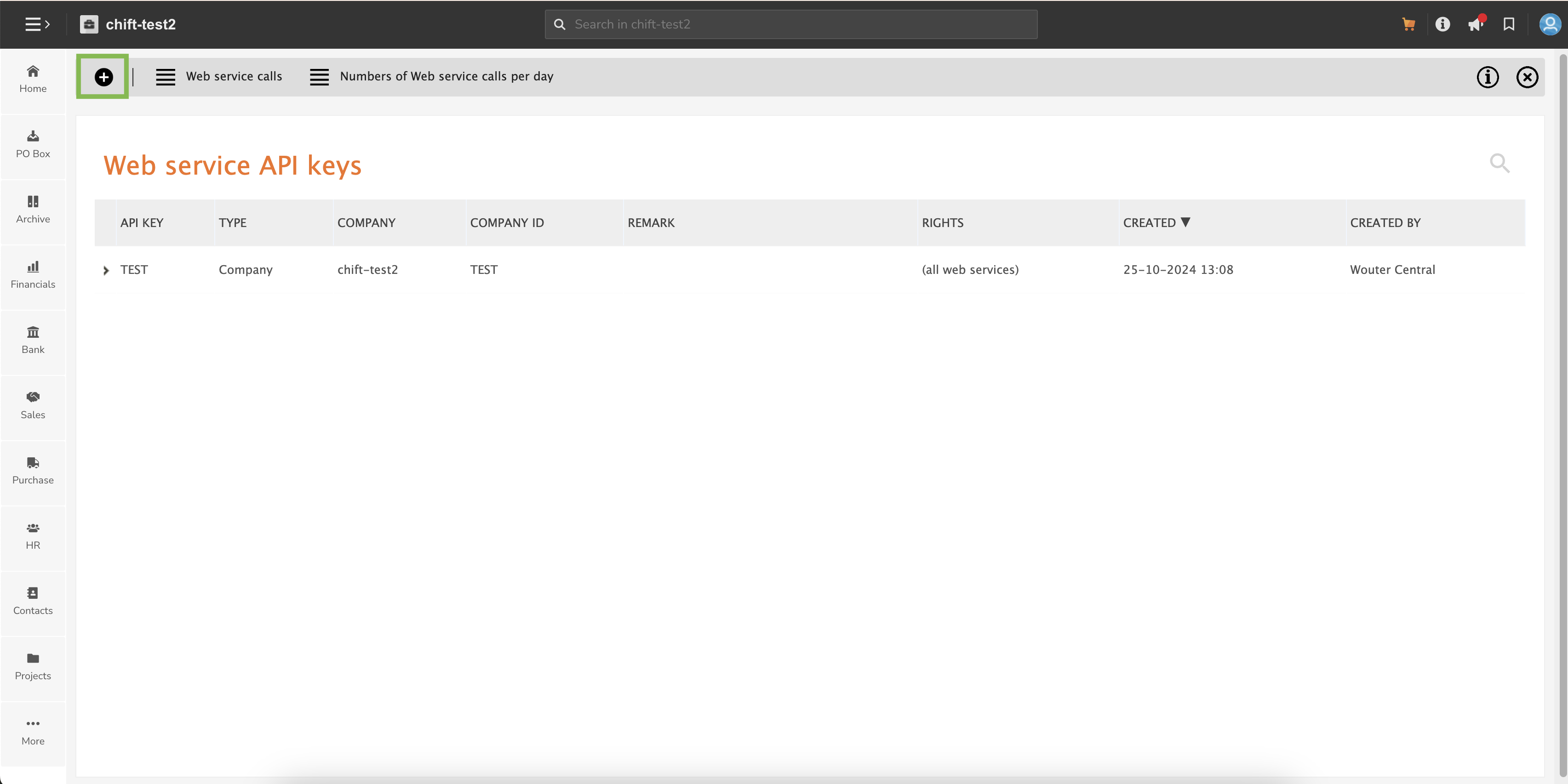
Click on the "+" button in the top left corner.
Please make sur that you fill :
Type : Company
⚠ Here you are creating a key for each company separately you want to connect to ; if you wish to create a global API key, please make sur that type is set on "domain".Company : choose the company to connect.
Rights : All web services
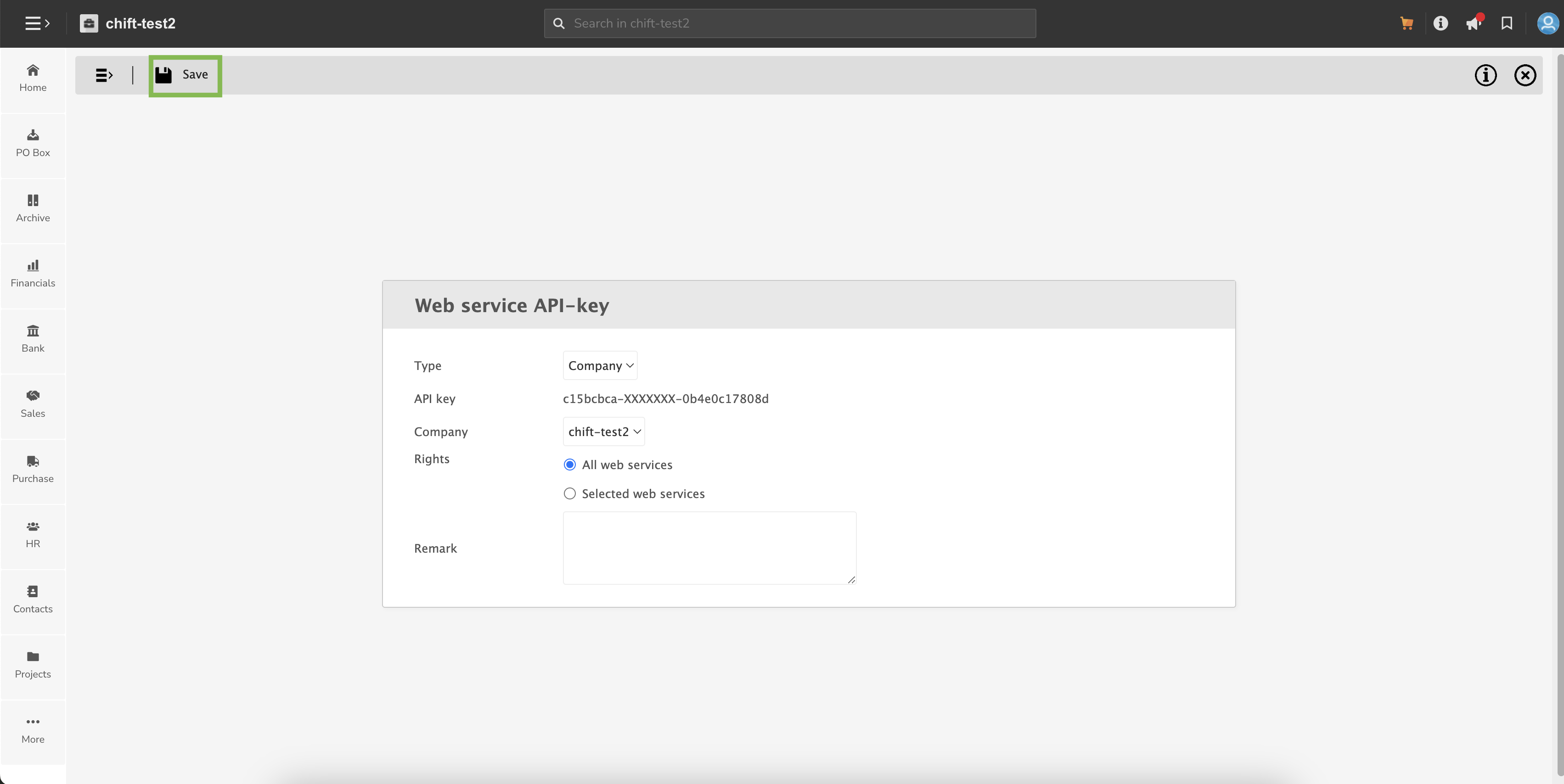
⚠ Don't forget to save with the dedicated button in the top left corner.
You can paste this API key into chift API
CONNECTION
Step 1: Choose a name for your connection.

Step 2: fill in the API key you fetched from Yuki.

Step 3: Click "Connect" to finalise the connection.