Visma e-conomic
Last updated: June 16, 2026
🚨 Prerequisites
You must have an active e-conomic account with accounting data
You must use one of the following users to grant access to e-conomic:
superuser
normal user with the following access:
accounting
sales (if you want to handle customers)
⚡ Connection
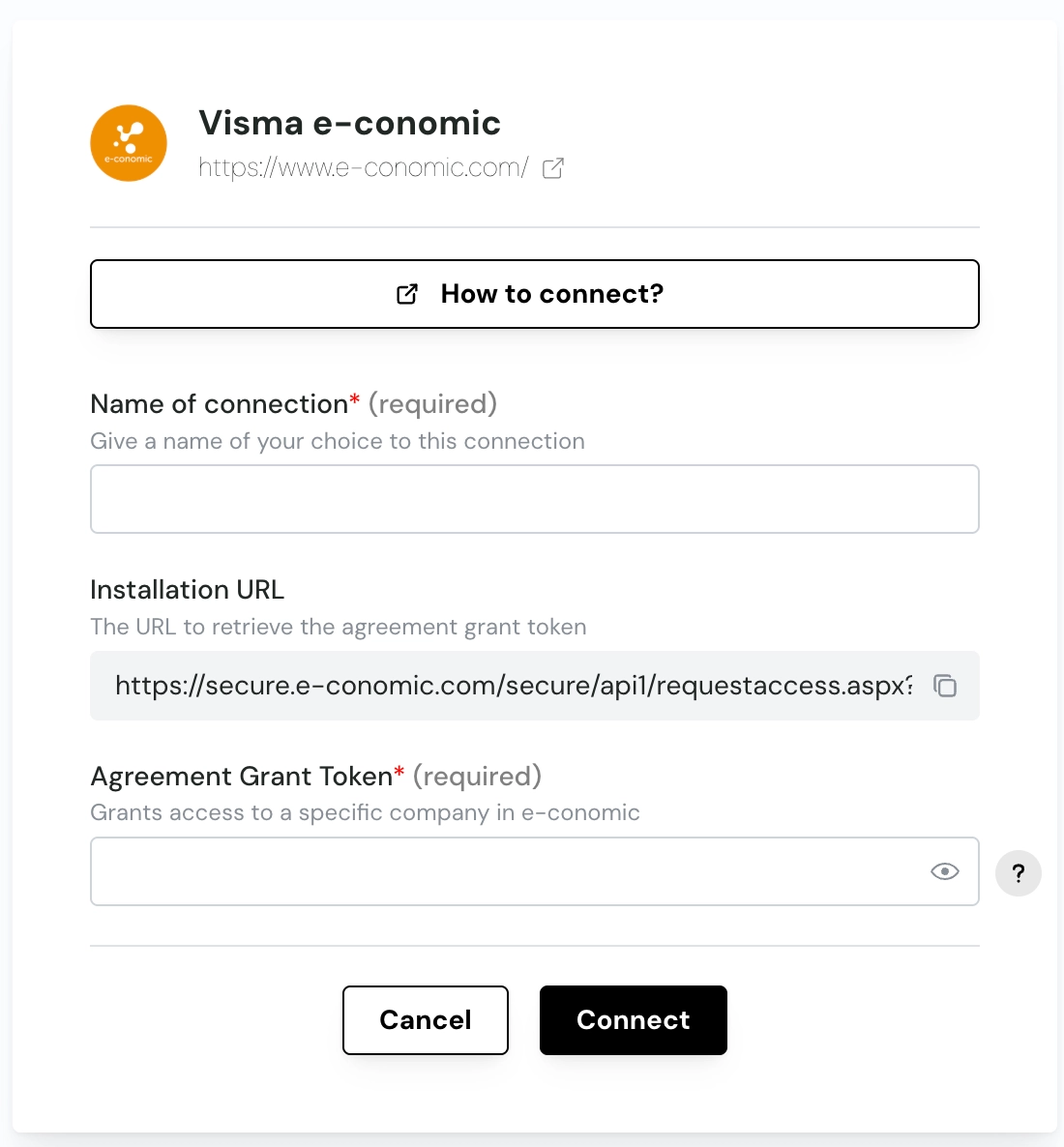
Step 1: Choose a name for your connexion (if the connection name field isn’t visible, simply skip this step and continue)

Step 2: Retrieve the Agreement Grant Token
Copy & paste the Installation URL in a new tab
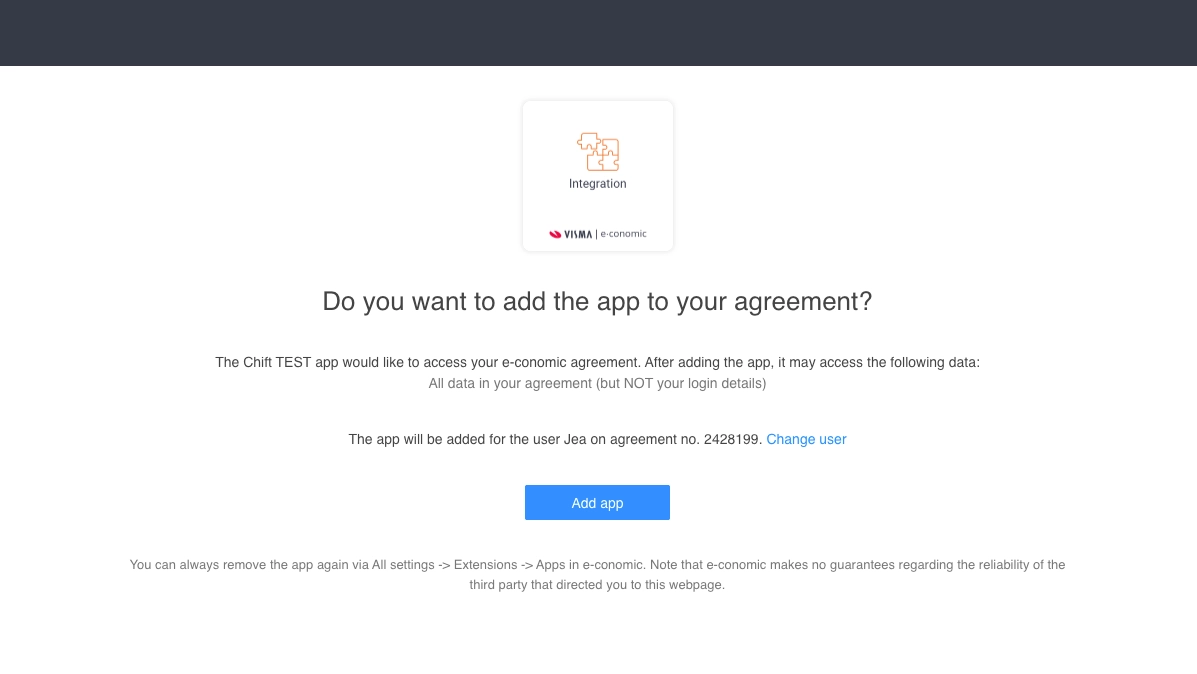
Accept the access request
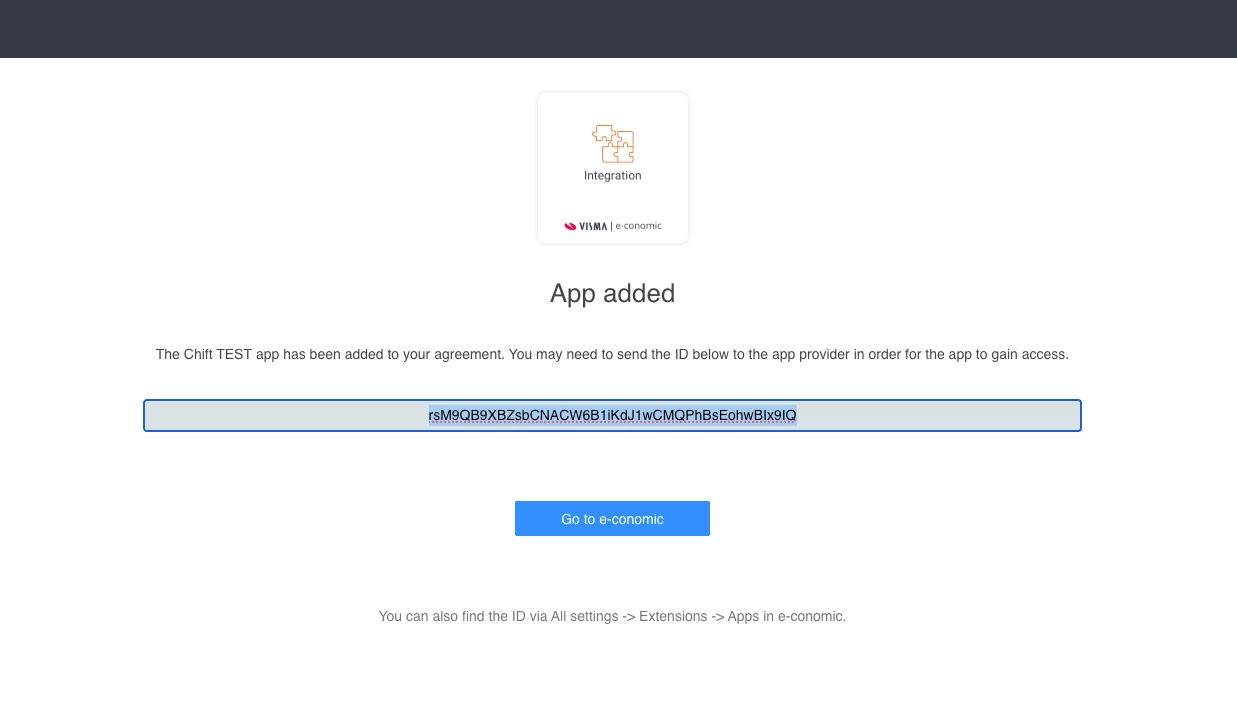
Copy the generated Agreement grant token and paste it in the corresponding field in the form
Step 3: Click on Connect
❓ Troubleshooting
Issue | What to do |
|---|---|
"Access denied" or connection fails | Make sure you are logged in to the correct e-conomic agreement (the one with accounting data, not the developer agreement). |
You manage multiple agreements | Click "Administer" on the target agreement before following the grant link. More info here. |
Connection worked but no data appears | Ensure your e-conomic user role has the SuperUser permission. Other roles (Bookkeeping, Sales) have limited API access. |
You want to revoke Chift's access | Log in to your e-conomic account → Apps → find Chift and remove the grant. |