Netsuite
Last updated: July 27, 2026
🚨 PREREQUISITES
The following must be true in your NetSuite account before you start:
You have an Administrator role, or a role with the SuiteApp Marketplace permission (needed to install a bundle).
You have the Bundle ID provided by Chift (or by your provider, for a branded bundle):
[BUNDLE ID].
Everything Chift needs — a script, a least-privilege role, the OAuth 2.0 integration record, and an attachments folder — is delivered by the bundle in one click. You never have to upload files, configure scripts manually, or copy a Client ID or Secret.
The whole setup is four steps: enable features → install the bundle → assign the role → authorize.
🛠 SETUP
You need to be logged in to your NetSuite account for the steps below.
☑ 1. Enable the right company features
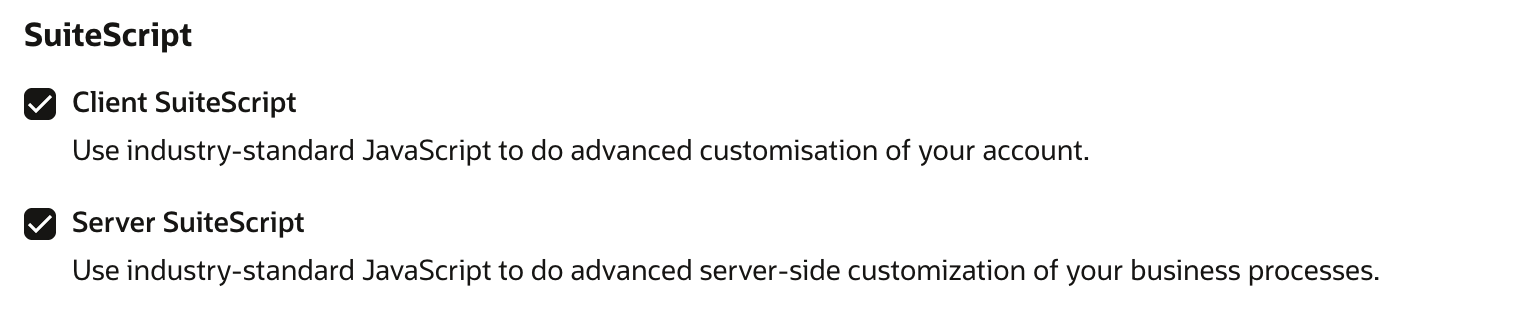
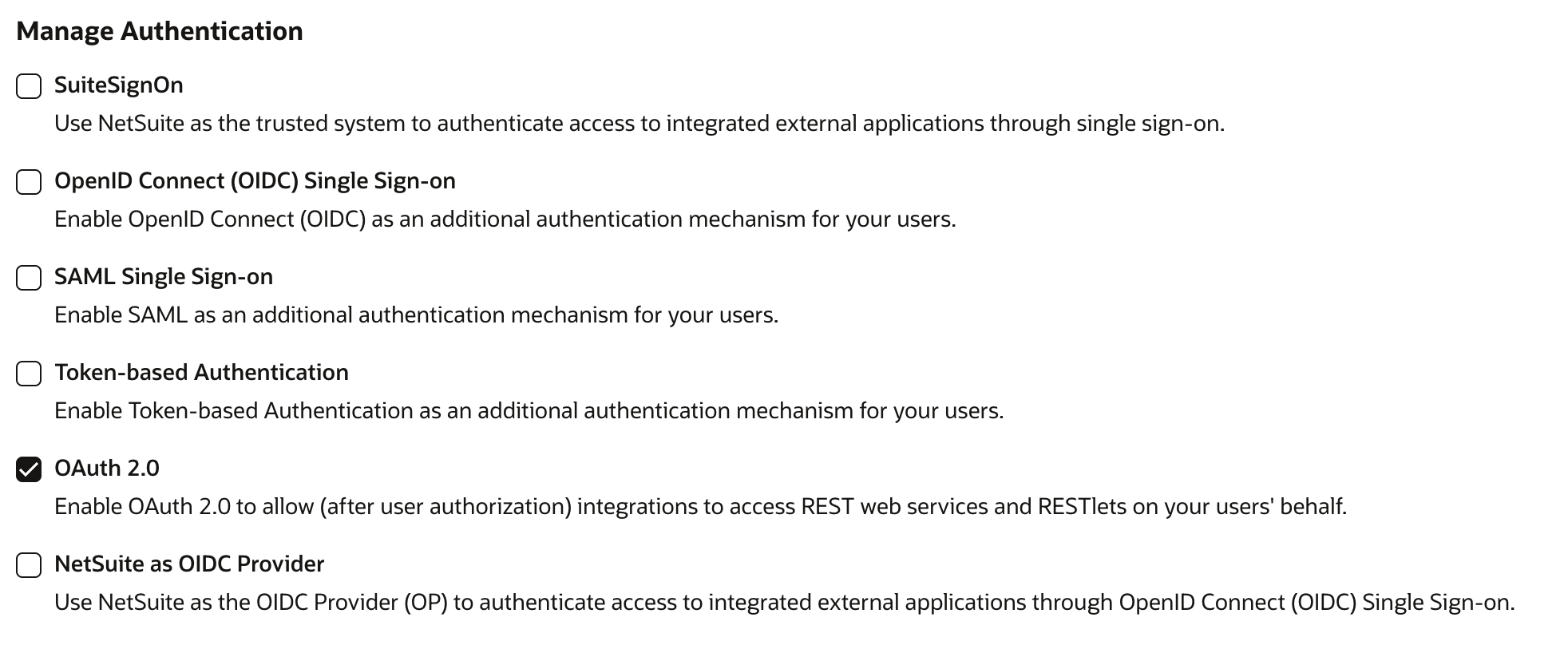
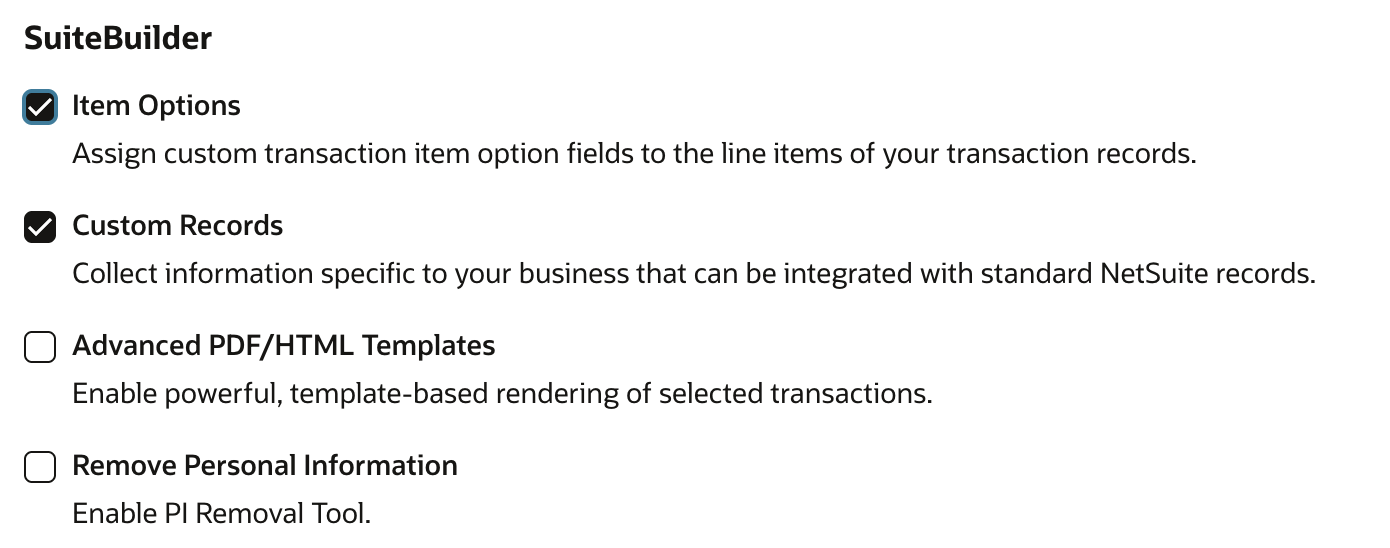
Go to Setup > Company > Enable Features > SuiteCloud tab. Enable each of the following, save, and accept every Terms of Service prompt.
⚠ This must be done before installing the bundle — without Server SuiteScript enabled, the bundled script cannot install.
SuiteScript → Client SuiteScript, Server SuiteScript
Manage Authentication → OAuth 2.0
SuiteTalk (Web Services) → REST Web Services

Custom Records → Custom Records
If your account uses custom segments as analytical dimensions, also enable SuiteCloud > Custom Segments (you will grant the matching permission on the role later; the permission only appears once the feature is on).
[SCREENSHOT: SuiteCloud features tab with the boxes above ticked]
☑ 2. Install the Chift bundle
Go to Customization > SuiteBundler > Search & Install Bundles, enter the Bundle ID 703899, review the list of objects, and click Install.
The script and its deployment, the Chift Integration role, the integration record, and the Chift Attachments folder are all installed in one click.
To remove the bundle later: Customization > SuiteBundler > List of Installed Bundles → select the bundle → Uninstall.
☑ 3. Assign the Chift Integration role (and re-login)
The bundle installs the role definition, but does not assign it to a user. Assign it to the user who will connect to Chift.
✅ Recommended: use a dedicated integration user. Create or pick an employee whose only role is Chift Integration (no Administrator, no other role). This is what keeps the connection least-privilege at runtime.
Assign the role via Setup > Users/Roles > Manage Users > the user > Access subtab > add Chift Integration > Save.
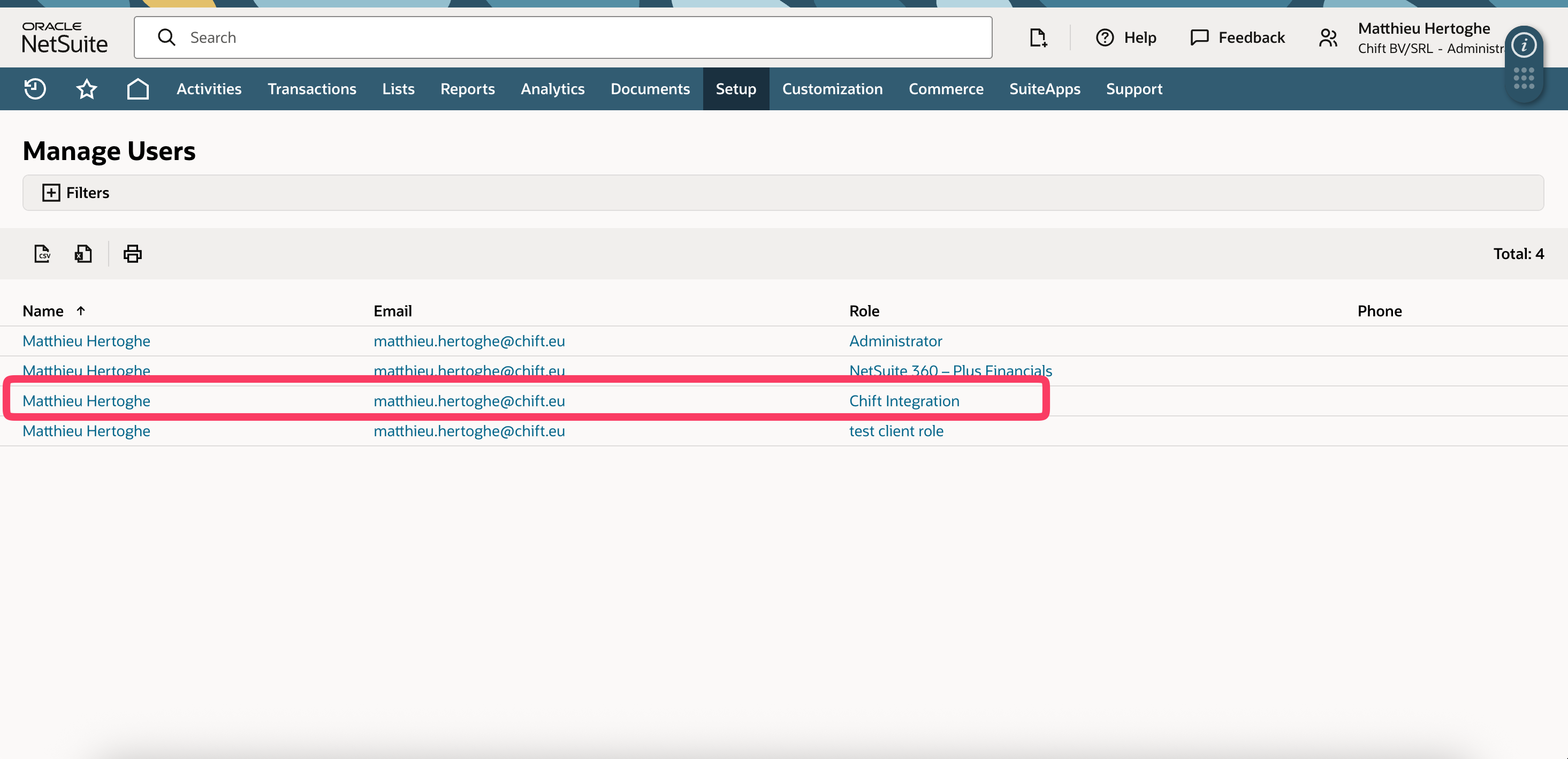
⚠ You MUST log out and back in after assigning the role. NetSuite caches roles per session, so a newly assigned role only becomes selectable after the user logs out and logs back in. If you skip this, the role won't appear at the consent screen in the next step.
⚡️ CONNECTION
In Chift, start the NetSuite connection and follow the steps.
Step 1: Choose a name for your connection.

Step 2: Fill in your NetSuite Account ID.

Your Account ID is at the beginning of your NetSuite URL, e.g. https://1234567.app.netsuite.com → Account ID is 1234567. For sandbox accounts, replace the dash in the URL (sb-) with an underscore (sb_) — e.g. sb-12345 is entered as sb_12345. (NetSuite doc)
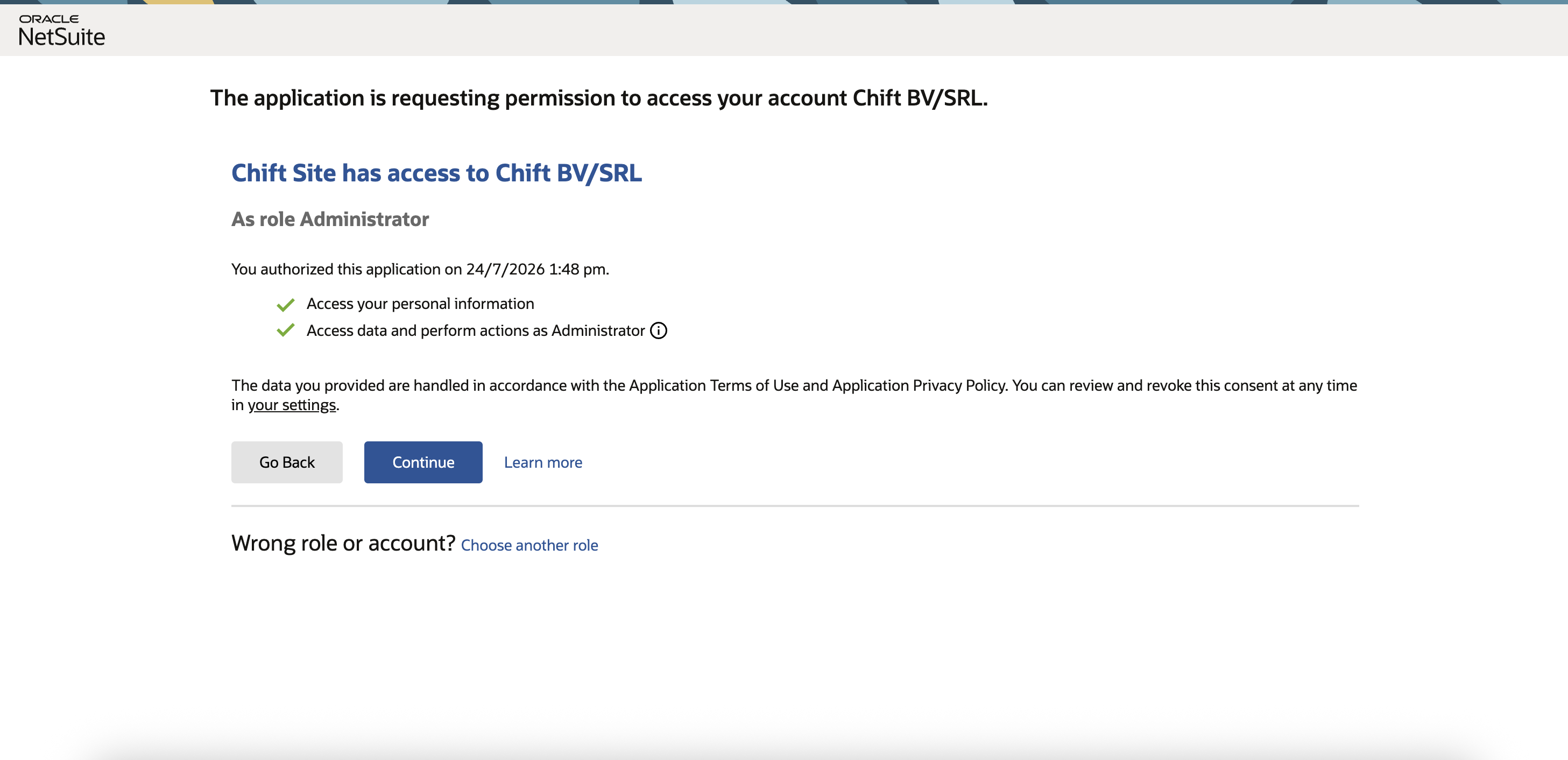
Step 3: Click on authorize. When asked, please enter your credentials (associated to the app) to connect your Netsuite account.

🚨 Connect as the dedicated integration user — not as Administrator. The connection runs with whatever role the user authorizes with. If an Administrator connects, the connection runs as Administrator and bypasses the least-privilege Chift Integration role. Logging in as the dedicated user (whose only role is Chift Integration) removes any ambiguity.
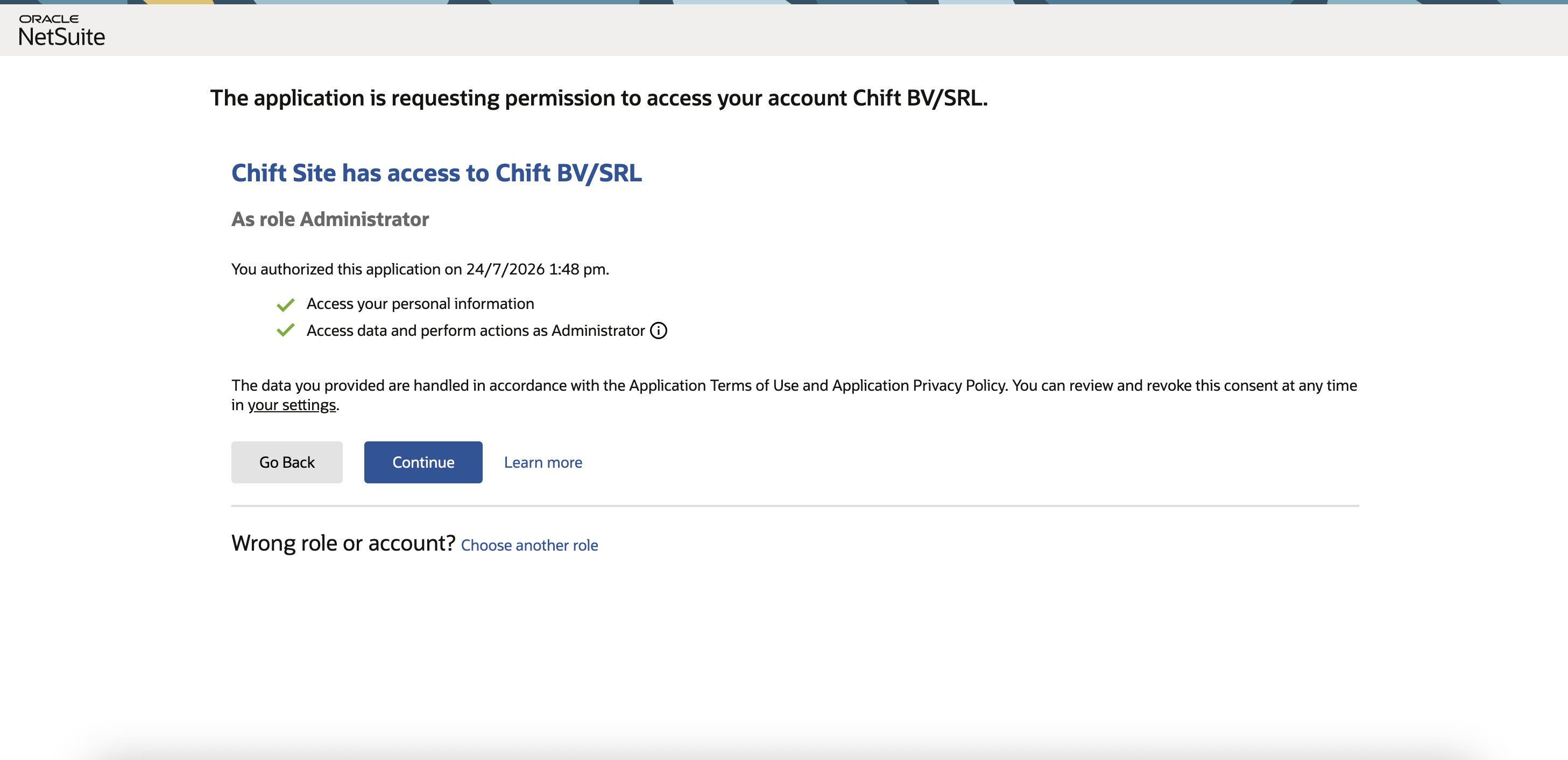
That's it — no Client ID, Client Secret, or RESTlet URL to enter. Standard accounting data and the script-backed features (attachments; bank transactions where applicable) all run over the same OAuth 2.0 connection.
ℹ GOOD TO KNOW
Permissions. For now, a single Chift Integration role with a fixed set of permissions is available. Because it is one-size-fits-all, it may request broader permissions than your specific integration actually needs. We are working on adding several more granular roles, each with fewer permissions, so that the access requested matches each integration's scope.
OneWorld (multi-subsidiary) accounts. The Chift Integration role ships with Subsidiary Restrictions = All so the connector can see every subsidiary. If this is changed to User Subsidiary, or if the user's Include Sub-Subsidiaries preference is off (Home > Set Preferences > Restrict View), child subsidiaries won't appear in Chift. Re-login after changing either.
Attachments folder. The bundle ships a Chift Attachments File Cabinet folder as the default target for stored attachments. You can point Chift at another folder in the post-connection settings. Do not rename the bundled folder — Chift matches it by the exact name Chift Attachments.
Bank transactions. Importing bank transactions requires the third-party ZoneReconcile (Zone & Co) SuiteApp to be installed on your account, and the Chift Integration role to have access to its bank record types. Attachments and all standard accounting features do not depend on this.
🧯 TROUBLESHOOTING
Symptom | Cause | Fix |
|---|---|---|
| You connected as Administrator instead of the | Reconnect as the dedicated integration user (Connection step 3). |
The | Role assigned but the session wasn't refreshed | Log out and back in as the integration user (Setup step 3), then retry. |
Subsidiary list shows only the parent (OneWorld) | Role's Subsidiary Restrictions = User Subsidiary, or Include Sub-Subsidiaries is off | Set Subsidiary Restrictions = All on the role, enable Include Sub-Subsidiaries, then re-login. |
The | Folder was renamed | Keep the exact name |
Bundle won't install ("script cannot be deployed") | Server SuiteScript / Custom Records feature not enabled | Complete Setup step 1 before installing. |
A specific endpoint returns a 403 at runtime | The role is missing that transaction/list permission | Grant the missing permission on the |