BoondManager
Last updated: September 18, 2025
Prerequisites
You need to make sure that something called "Basic Auth" is enabled on your account. To do so, go into your Boondmanager account, open the configuration section and go to the Intranet Tab.
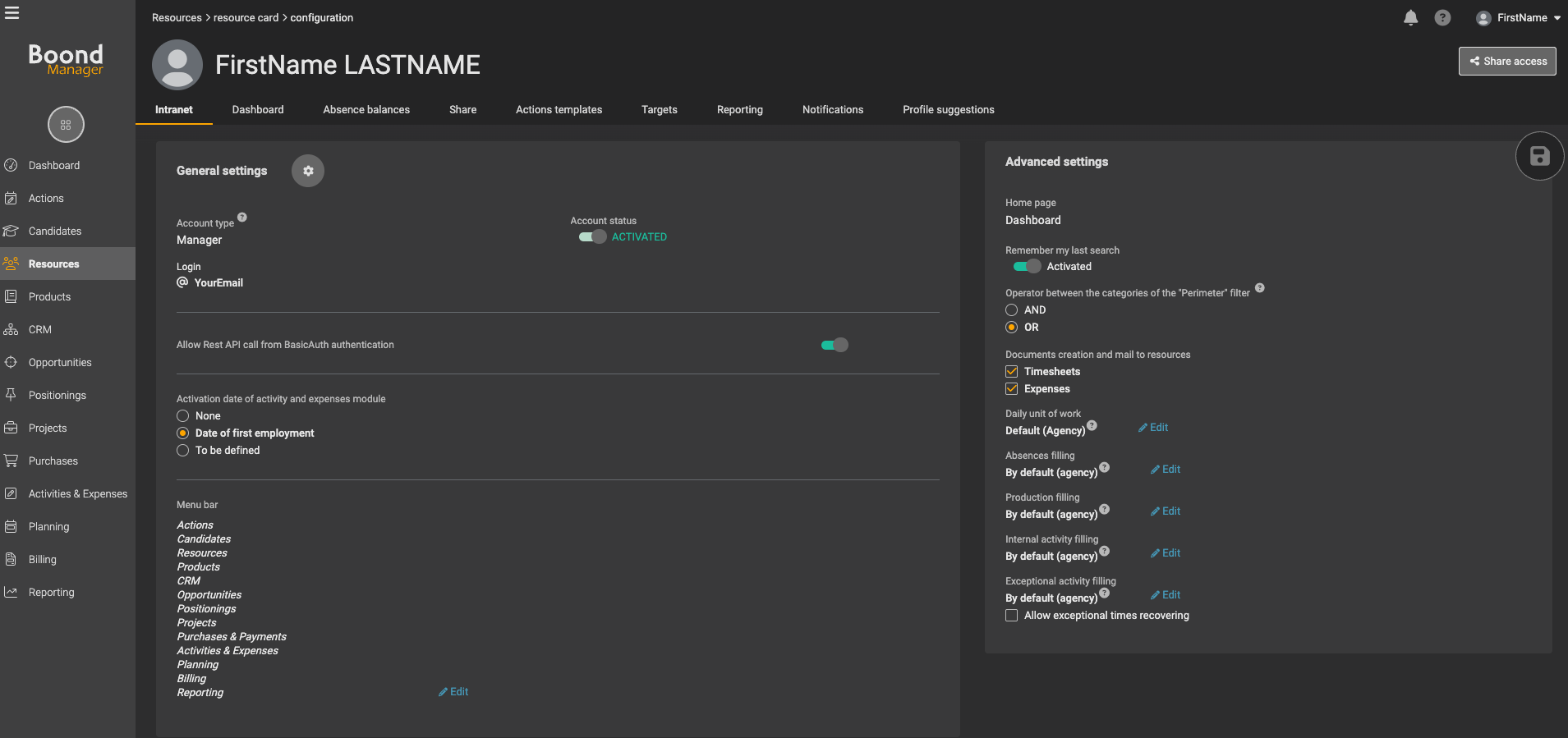
You will find a section related to Basic Auth in this section (as you can see on the above screenshot). Make sure that this is enabled.
Once the Basic Auth is enabled, you can process with the connexion of your BoonManager account 🙌
CONNEXION
Step 1: Choose a name for your connexion.

Step 2: Enter your BoondManager account email.

Step 3: Enter your BoondManager account password.

Step 4: Click "Connect" to finalise the connexion