Dolibarr
Last updated: December 12, 2025
PREREQUISITES
Make sure to enable at least the following modules:
Third parties
Invoices
Products
Vendors
API / Web Services (REST SERVER) (to be able to enable the API)
This can be managed through Home > Setup > Modules/Applications.
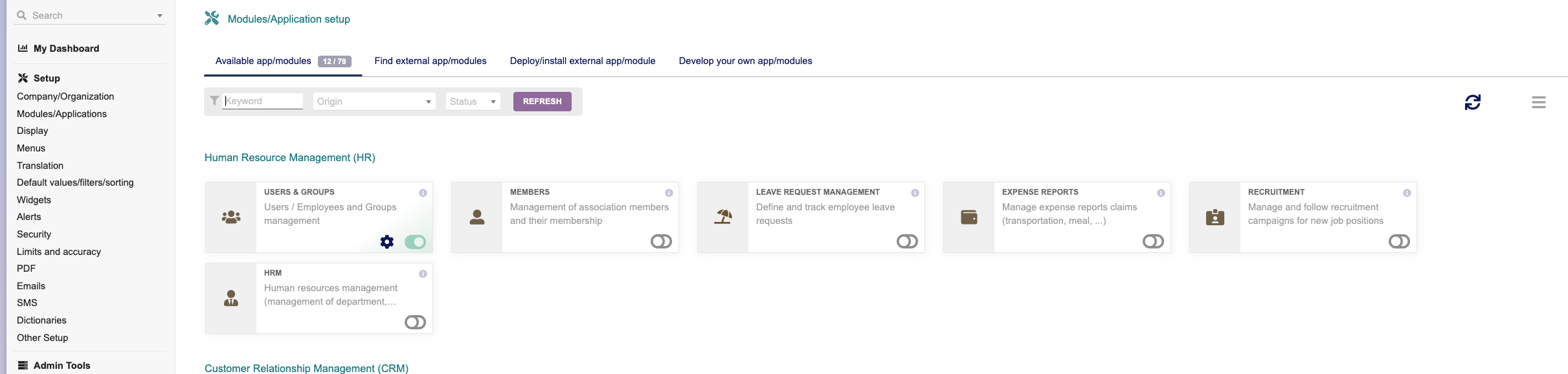
You might need as well Projects if needed by your use case.
To create the API key:
you need to go to Home > Users & Group > edit your user > click on Modify
On Key for API click to generate a key (copy it for later usage)

If you are not using Dolibarr cloud, make sure that your API is reachable from external sources.
CONNEXION
Step 1: Choose a name for your connexion.

Step 2: Enter the url of your instance (if using the cloud it will end with dolicloud.com)
Step 3: Select wheter you have the multicompany module . This module needs to be enabled as well to work correctly.

Step 4: Use the API key you generated previously
