Vosfactures
Last updated: December 8, 2025
PREPARATION
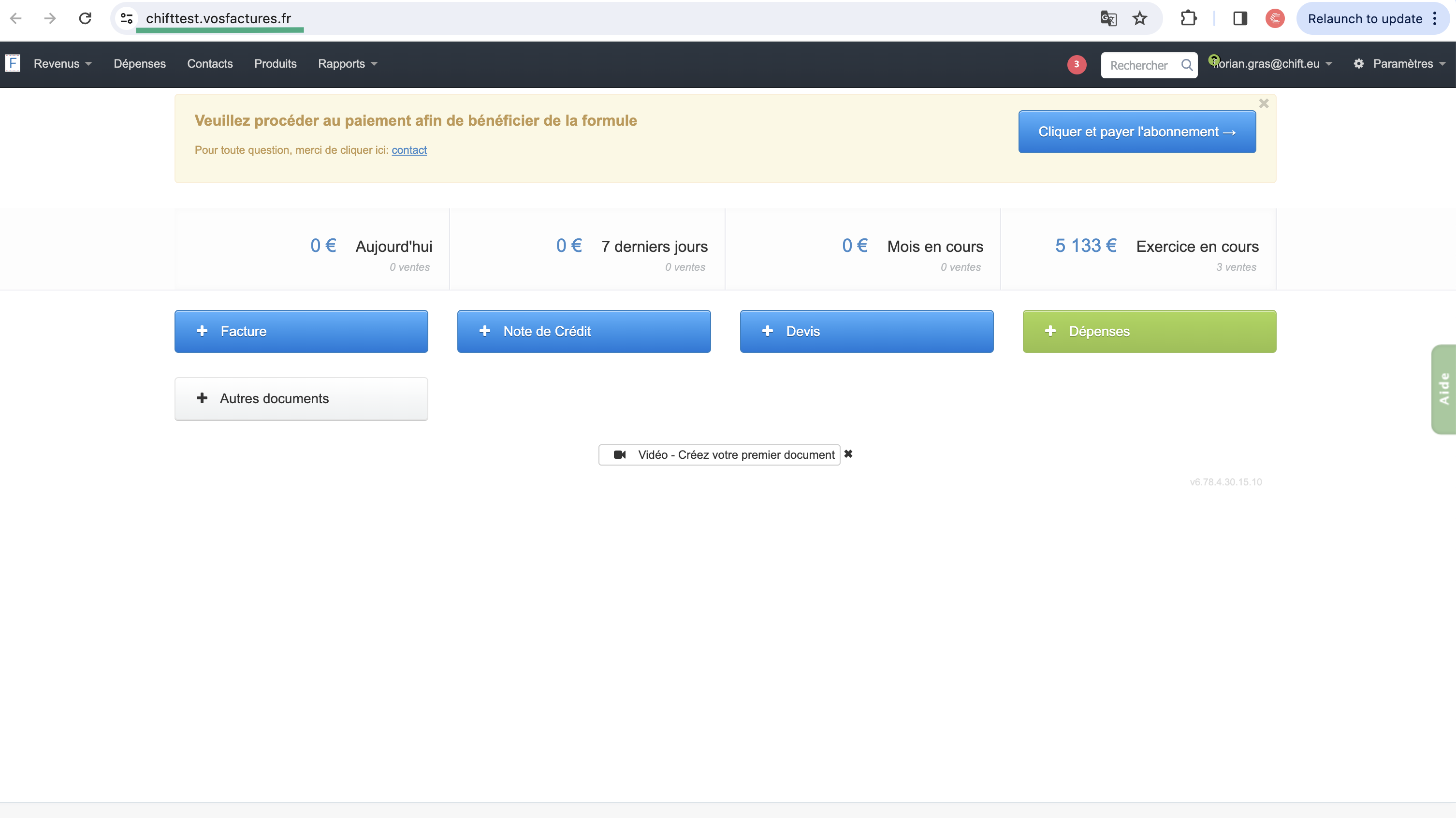
How to find your account URL on Vos Factures:
The url of your Vos Factures account is located in the search bar of your webpage, you will need to copy this information and insert it Step 2 of the Vos Factures integration activation.
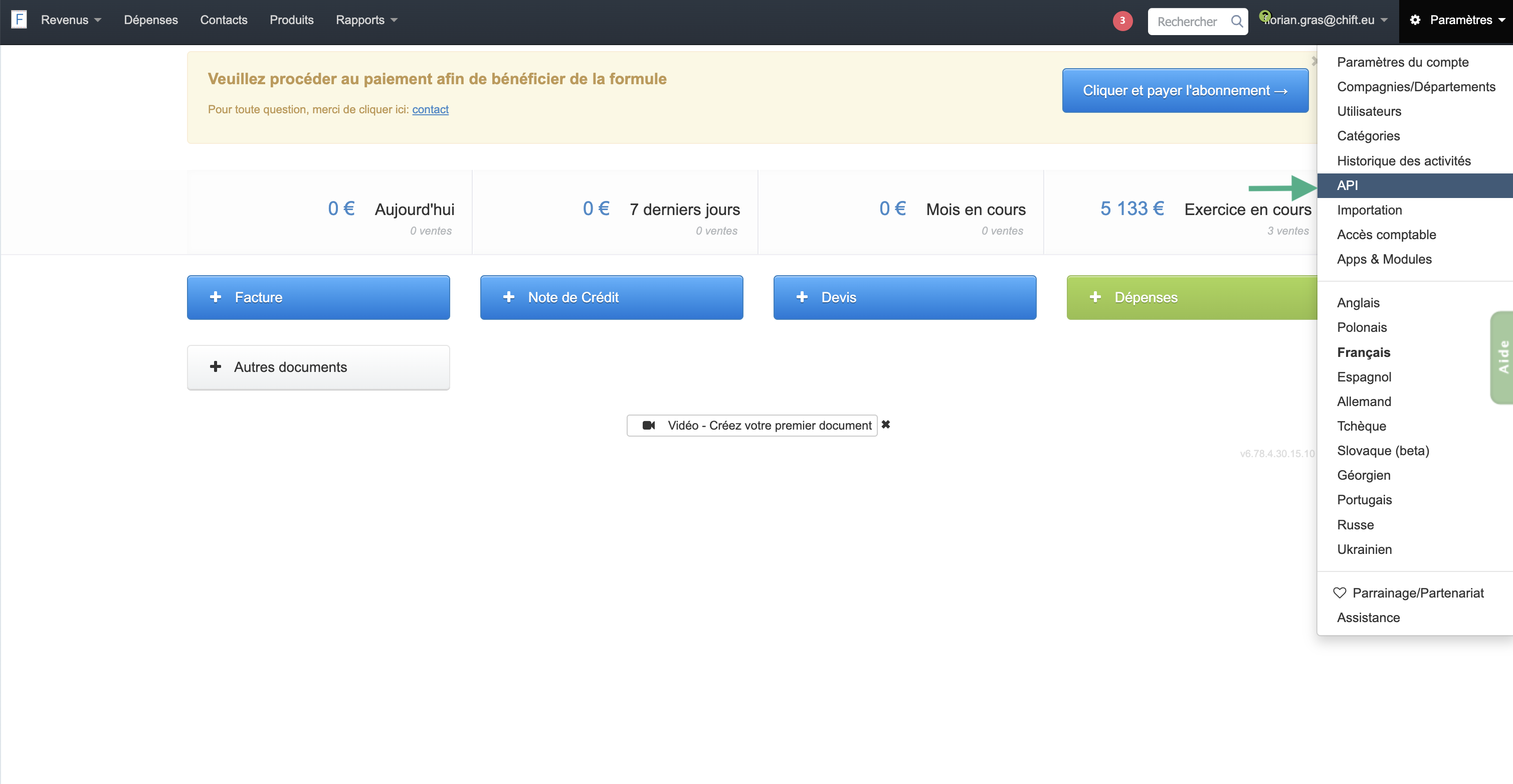
How to generate an API key for your Vos Factures account
To find your API key, you will have to go to your account Vos Factures, select in the settings the page "API".
Once the API key is displayed, you will have to copy and insert the key in the field Step 3 in your integration activation page.
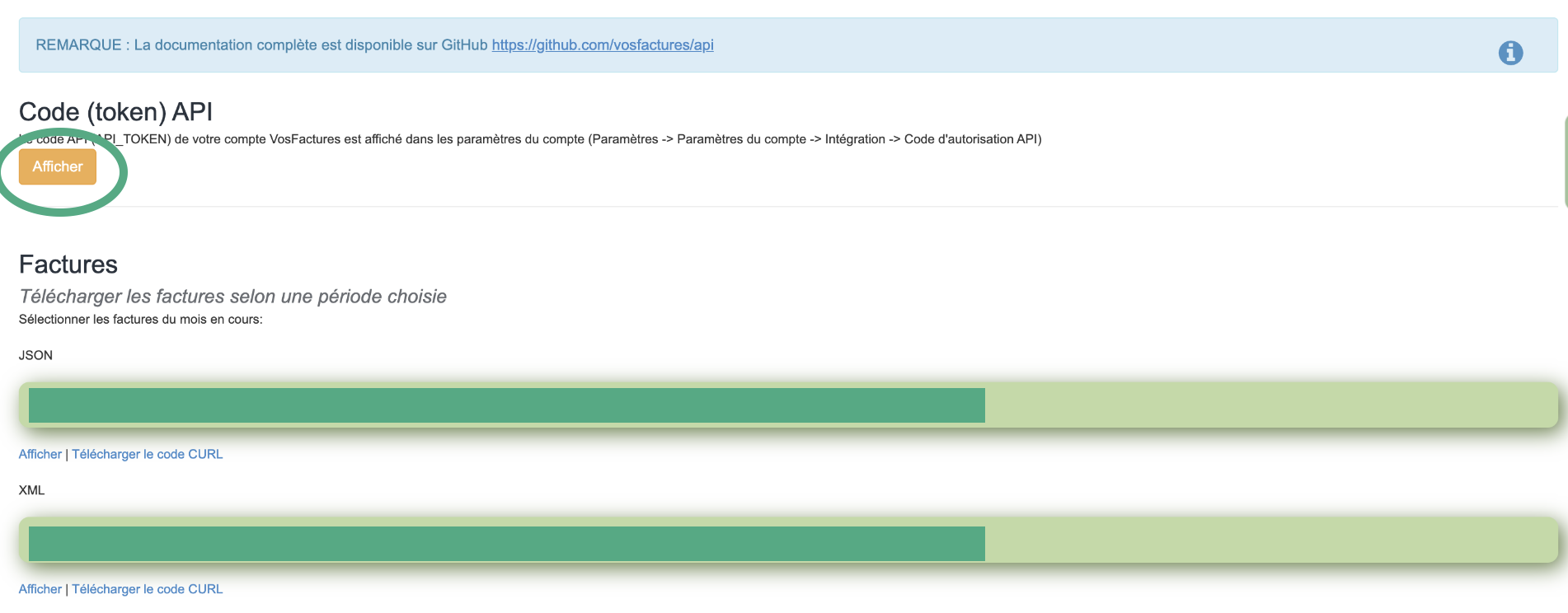
The API token must be generated by a user who has access to the account settings; otherwise, the connection will not work.
To avoid any permission issues, we strongly recommend generating the API key from the owner account of your Vosfactures account.
CONNEXION
Step 1: Choose a name for your connexion.

Step 2: Enter your Vos Factures account URL.

Step 3: Enter the API Key, previously generated from your account

Step 4: Click "Connect" to finalise the connexion.