Clyo Systems
Last updated: August 7, 2025
PREREQUISITES
You need to install a program on the same server where Clyo Systems is installed. To ensure the connector works on the server, please make sure before installation that:
You have admin access to the server where Clyo Systems is installed in order to proceed with the installation
Be aware that the server/computer must be permanently accessible with internet access (24 hours a day). Otherwise, the data will not be synchronized
you have a version of Clyo Systems superior to: V5.20.03
The .NET Framework 4.8 MUST be installed on the server/computer where the local agent will be installed !
CONNEXION
Step 1: Choose a name for your connexion.

Step 2: Click "Connect" to finalise the connexion.
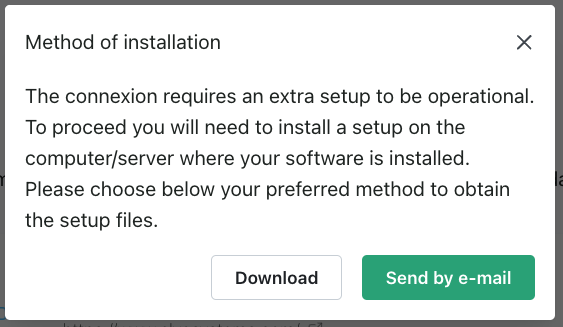
Step 3: Select which method you prefer to receive set up files to configure the connexion.
DOWNLOAD OF THE LOCAL AGENT
Clyo Systems is installed on a server. To enable data sharing, it is necessary to download a program (local agent) that will allow data transmission with Clyo Systems.
After the connection step, you will have two options to download and install the local agent on the same server as your Clyo Systems instance:
If Clyo Systems is hosted on your computer, you can directly download the program by clicking on Download.
If Clyo Systems is hosted on another server, you have the option to send the program via email to the person or company hosting Clyo Systems so they can download and install it.
CONFIGURATION
Step 1: You have the file named: “Setup.zip”. Extract the file to a folder “Setup” (click right, and do Extract All). It is important to first extract the zip before double clicking on it.
Step 2: Open the folder “Setup”. The folder should contain two files:
settings.json : you do not have to edit this file, it contains the credentials needed to make the bridge to Clyo Systems
SetupLocalAPIService.exe: This is the file we need to make the installation
Step 3: Double click on “SetupLocalAPIService.exe” to start the installation. To complete the installation, you need to go through each step:
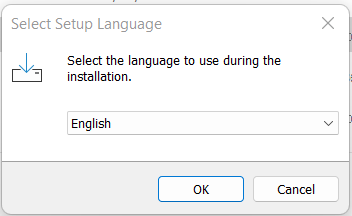
Select the language of the installation screen
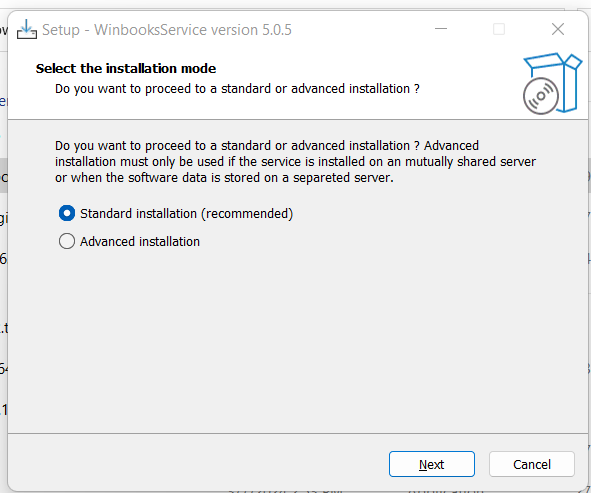
Select the installation type: "standard installation" is recommended
In this step, it’s important to select the settings.json extracted in the downloaded file. By default, it should already have selected that file.
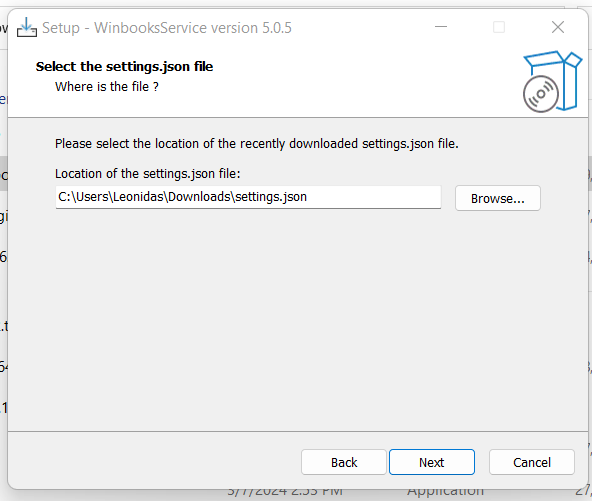
Continue through the different steps until you get a message saying that the installation is successful
VERIFICATION
How to check that the service was correctly installed ?
Step 1: Open the explorer menu and search for “Services”
Step 2: Open “Services”
Step 3: A new window will open with a list of services. You should find in this list a service called “LocalAPIService” with a status “Running”. If this is the case, you have successfully completed the connexion with Clyo Systems.
You do not see the installed service or it is not running, please contact: support@chift.eu for support.